Budget Live Streaming Setup Gear Guide for Creators
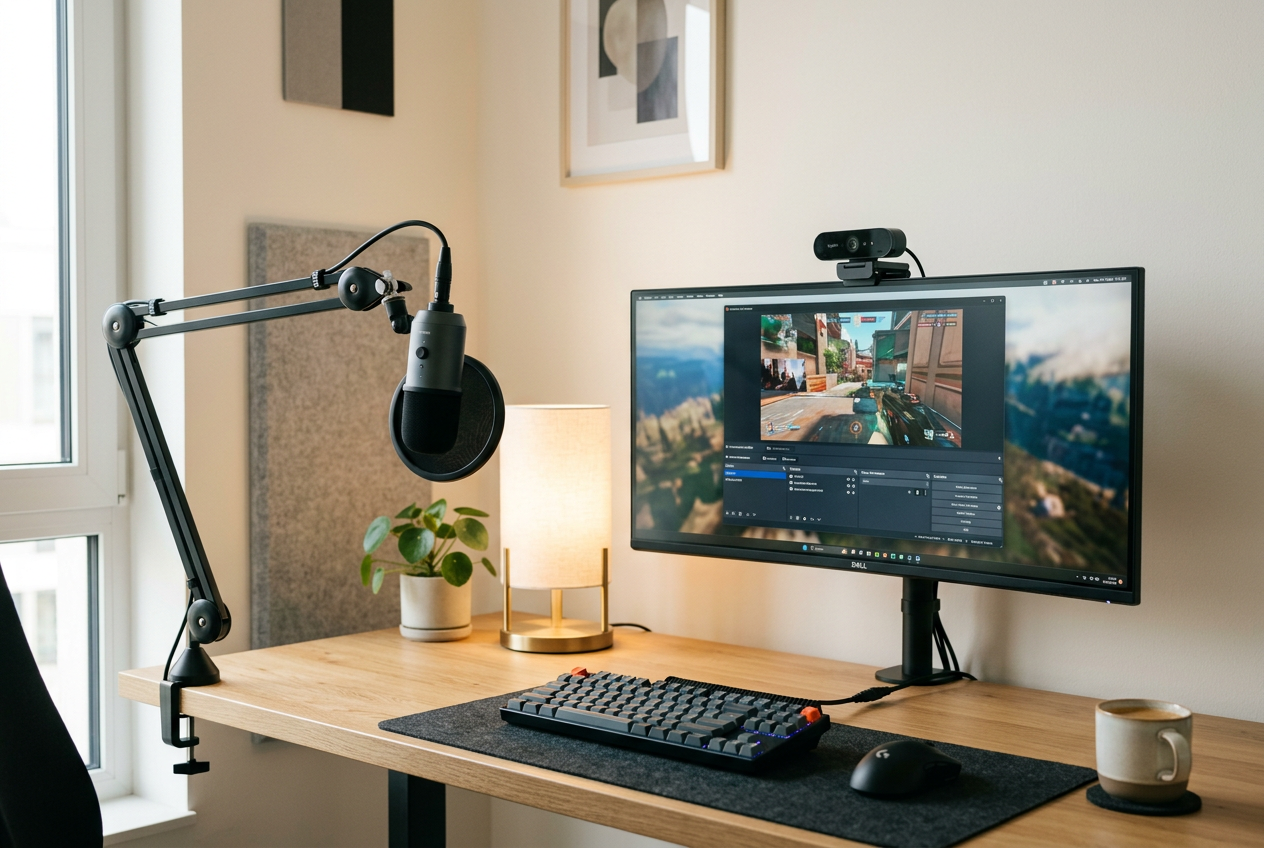
Creating a high-quality broadcast does not require thousands of pounds in specialist studio hardware. With modern hardware, new broadcasters can assemble a clean, reliable workstation without exceeding their planned budget. This budget live streaming setup gear guide covers the essential categories every beginner and intermediate creator should prioritize to maintain clear audio, crisp visuals, and stable power delivery.
Prioritising Audio Over Video
Viewers often tolerate moderate video quality, but poor audio will quickly drive audiences away. When planning your initial investment, allocate a sensible portion of your budget towards a dedicated microphone rather than relying on built-in laptop or headset mics.
Dynamic vs Condenser Microphones
Condenser microphones capture delicate vocal nuances and high-frequency details, making them popular for quiet, treated environments. However, if you stream from an untreated bedroom or a noisy living space, a dynamic cardioid microphone is usually the safer choice. Dynamic microphones naturally reject background noises such as keyboard clicks, computer fans, and distant traffic.
USB Simplicity
While XLR setups offer upgrade pathways through external audio interfaces, modern USB microphones eliminate the need for extra hardware. Look for a plug-and-play USB microphone with a built-in headphone jack for zero-latency monitoring, a physical gain knob, and a mute button within arm's reach.
Choosing the Right Camera and Capture Gear
Once audio is addressed, upgrading your visual presentation is the next logical step. You do not necessarily need a high-end mirrorless camera on day one.
Dedicated Webcams
Modern 1080p webcams with steady 30 or 60 frames-per-second capabilities provide more than enough clarity for typical broadcast overlays. When your camera feed occupies only a small box in the corner of a gaming or tutorial stream, spending excessive amounts on ultra-high-definition capture can produce diminishing returns.
Using Capture Cards
If you plan to broadcast console gameplay from a PlayStation, Xbox, or Nintendo Switch, an external USB capture card is essential. Entry-level capture cards that handle 1080p input at 60 frames per second with low passthrough latency allow you to bring external video feeds into broadcasting software smoothly.
Budget Live Streaming Setup Gear Guide Essentials
To keep your setup manageable, focus on these fundamental components before buying non-essential studio accessories:
- Dedicated Microphone: A cardioid USB dynamic or condenser unit with a pop filter.
- Visual Capture: A reliable 1080p webcam or an entry-level HDMI capture card.
- Consistent Lighting: Diffused desktop key lights to prevent graininess on camera.
- Screen Real Estate: A secondary screen or display for monitoring your chat, stream health, and alerts.
- Clean Power Distribution: Surge-protected extension sockets and multi-port charging bricks for accessories.
Display and Monitoring Setup
Managing a live broadcast requires multitasking. Keeping your streaming software, audience chat, browser tabs, and source content visible simultaneously on a single monitor can be difficult.
Adding a secondary screen solves this bottleneck. While dedicated computer monitors are standard, repurposing a compact display or an affordable secondary panel such as the Insignia 50" Class F50 Series LED 4K UHD Smart Fire TV in a larger room setup gives you ample space to monitor chat, scenes, and audio meters without cluttering your main display.
Power and Cable Management
Streaming setups accumulate cables quickly. Webcams, lights, capture cards, and audio interfaces all draw power and take up USB ports on your computer.
Protecting your equipment against electrical fluctuations is critical during long broadcasting sessions. Using a reliable unit like the Power Extension Lead with 4 AC Outlets and USB C, 2M Cable, Surge Protected ensures your PC, lighting, and monitors remain secure from sudden surges while offering convenient desktop charging.
For peripheral management, using a dedicated multi-device charger such as the Anker Prime 100W GaN 3-Port Charger allows you to keep mobile devices, portable stream controllers, and wireless accessories powered without cluttering your primary computer ports.
Key Takeaways for Building on a Budget
You do not need to purchase every piece of high-end equipment at once. Begin with dependable audio and steady lighting, introduce a secondary monitor for workflow management, and ensure your power delivery is safe and organized. By building incrementally and sourcing second-hand gear on marketplaces, you can establish an efficient, professional broadcast space at a fraction of standard retail prices.
Frequently asked
- What is the most important item in a budget streaming setup?
- A dedicated microphone is the most important component, as viewers will quickly leave a broadcast with muffled or distorted audio even if the video is clear.
- Do I need a dual-PC setup to start streaming?
- No, a single modern desktop computer or capable laptop can handle both running your content and encoding your stream when configured with optimal broadcast software settings.
- Is lighting necessary if I already have a decent webcam?
- Yes, even high-end webcams produce grainy, washed-out images in low-light environments, making a simple diffused desk light or ring light essential for image quality.
Selling something similar?
Listing on BNS is free. Add photos, set your price and reach buyers looking for exactly this.